ChronoMap User Guide
日本語版 Human history through maps and time — every feature explained with screenshots. Home / Open the web app1What is ChronoMap?
ChronoMap is a free learning app that traces human history on a single world map and a single timeline. It covers shifting political borders from 30,000 BC to the present day, with 6,777 events and people, 117 narrated stories, and around 10,500 reference articles. There is nothing to sign up for and nothing to install — the same URL works on phones and computers alike.
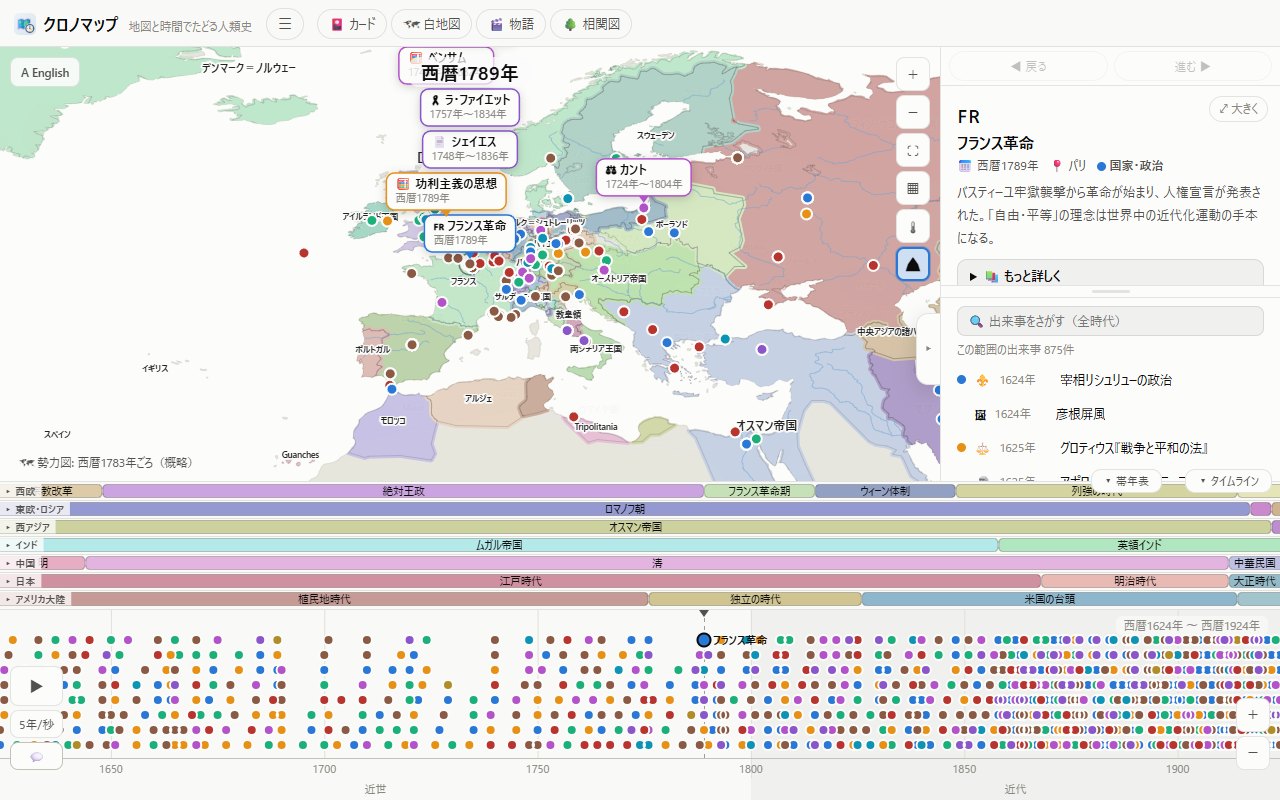
2The basic screen (desktop / mobile)
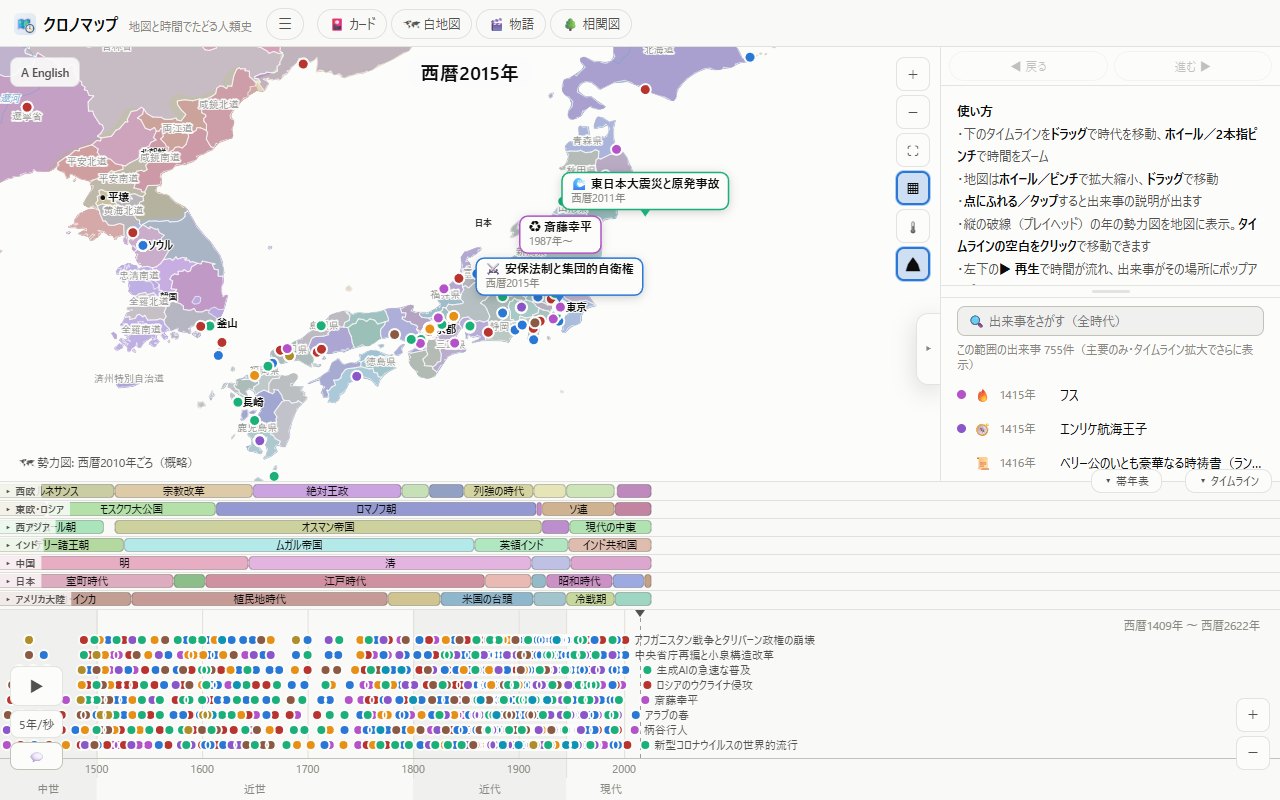
The screen has three main parts.
- Map (top) — shows the political map for the year under the dashed cursor (the playhead)
- Timeline (bottom) — events appear as dots. Drag to move through time
- Panel (right / bottom) — search, event lists, details, quizzes and more
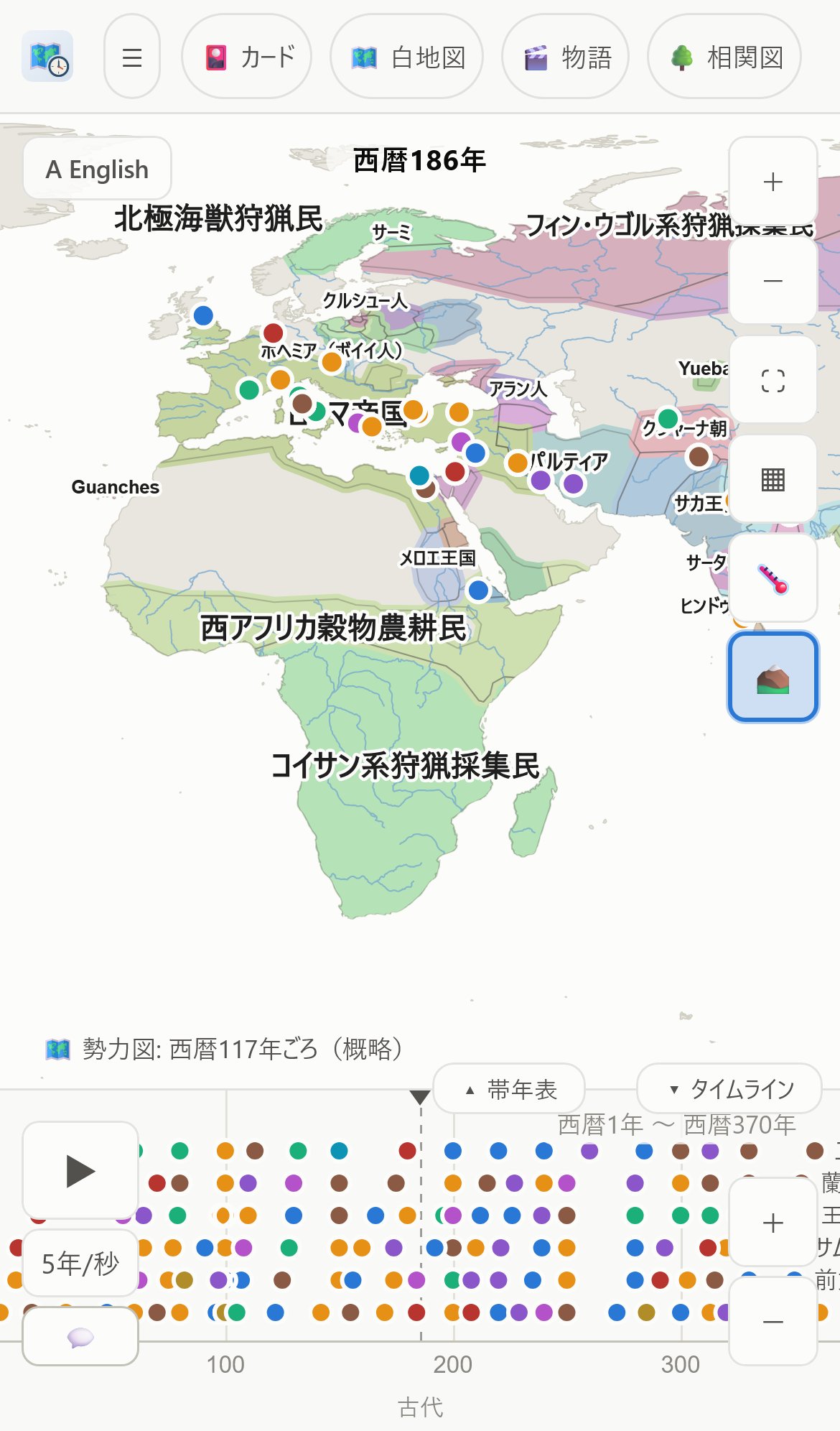
On mobile, drag the handle (the short bar) at the top of the sheet to adjust its height. A long swipe down closes it; tapping an event or anything else opens it again. Inside the sheet, the boundary between the detail view and the list is another thin bar (a splitter) you can drag to change the split. Both heights are remembered, so the app opens the same way next time.
3Working the map & info cards
- Pan — drag (one finger on mobile)
- Zoom — scroll wheel / pinch, or the +− buttons at the top right. ⛶ fits the whole world
- East–west wraparound — the map is continuous left to right. Center it on Japan and the Americas appear on the right
- 🔄 Reset the view — under "Display" in the ☰ menu. It is the way out when the browser has pinch-zoomed the whole page and the buttons have drifted off screen. It restores the page zoom and scroll position, the map's position and zoom, and the panel state all at once. The map's ⛶ (fit the world) button also resets the page zoom along with the map. Reloading the page returns it to 100% automatically as well
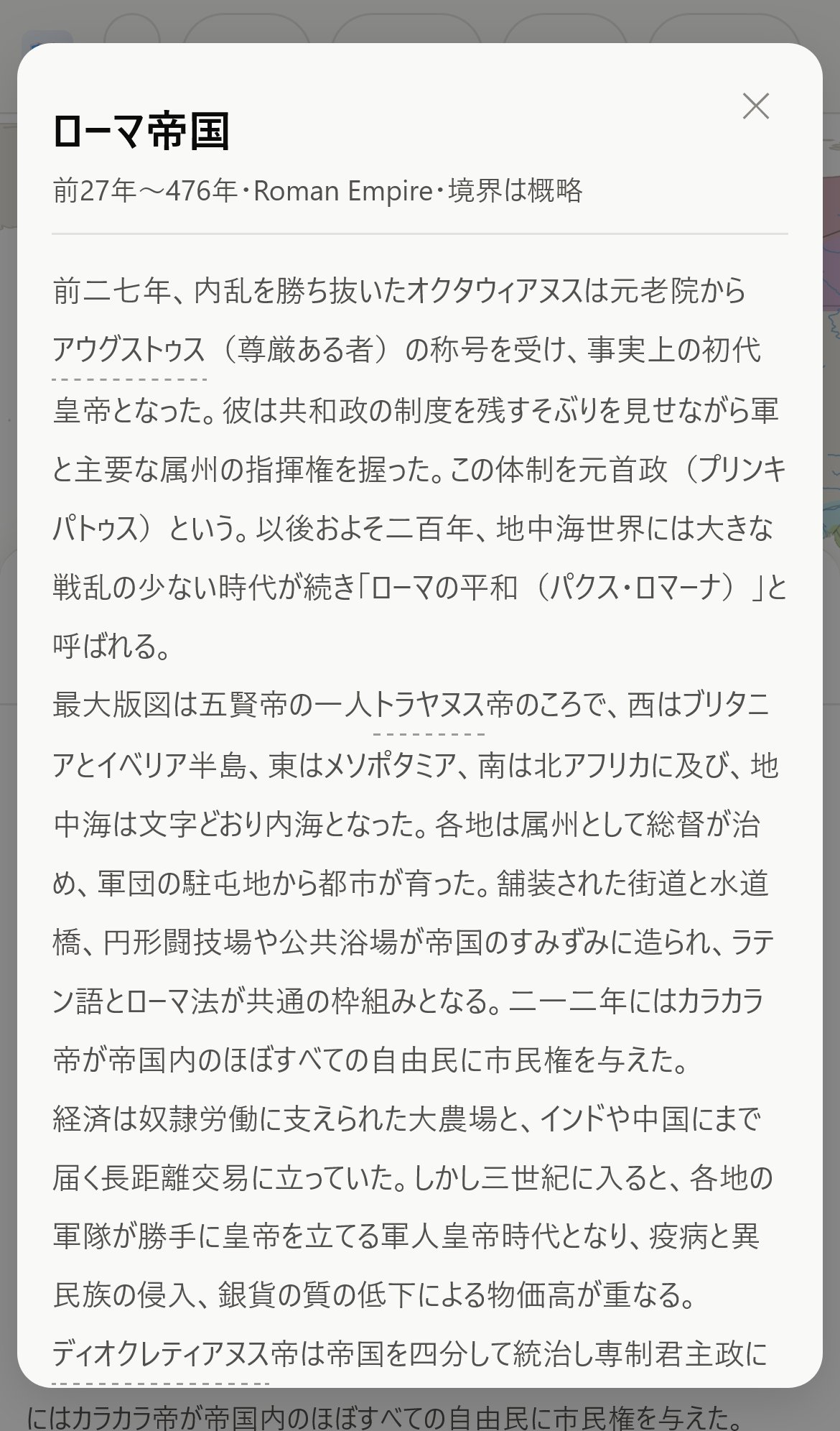
Tap anything on the map and an explanation appears:
- Round pins — events. Tap to open the detail panel
- Countries (the colored territories) — an info card for that polity (its lifespan, a full article, and a graph of its territorial extent over time)
- River names, mountain ranges and other landforms — cards for rivers and terrain
- States & provinces (with the layer on) — a card for that administrative region
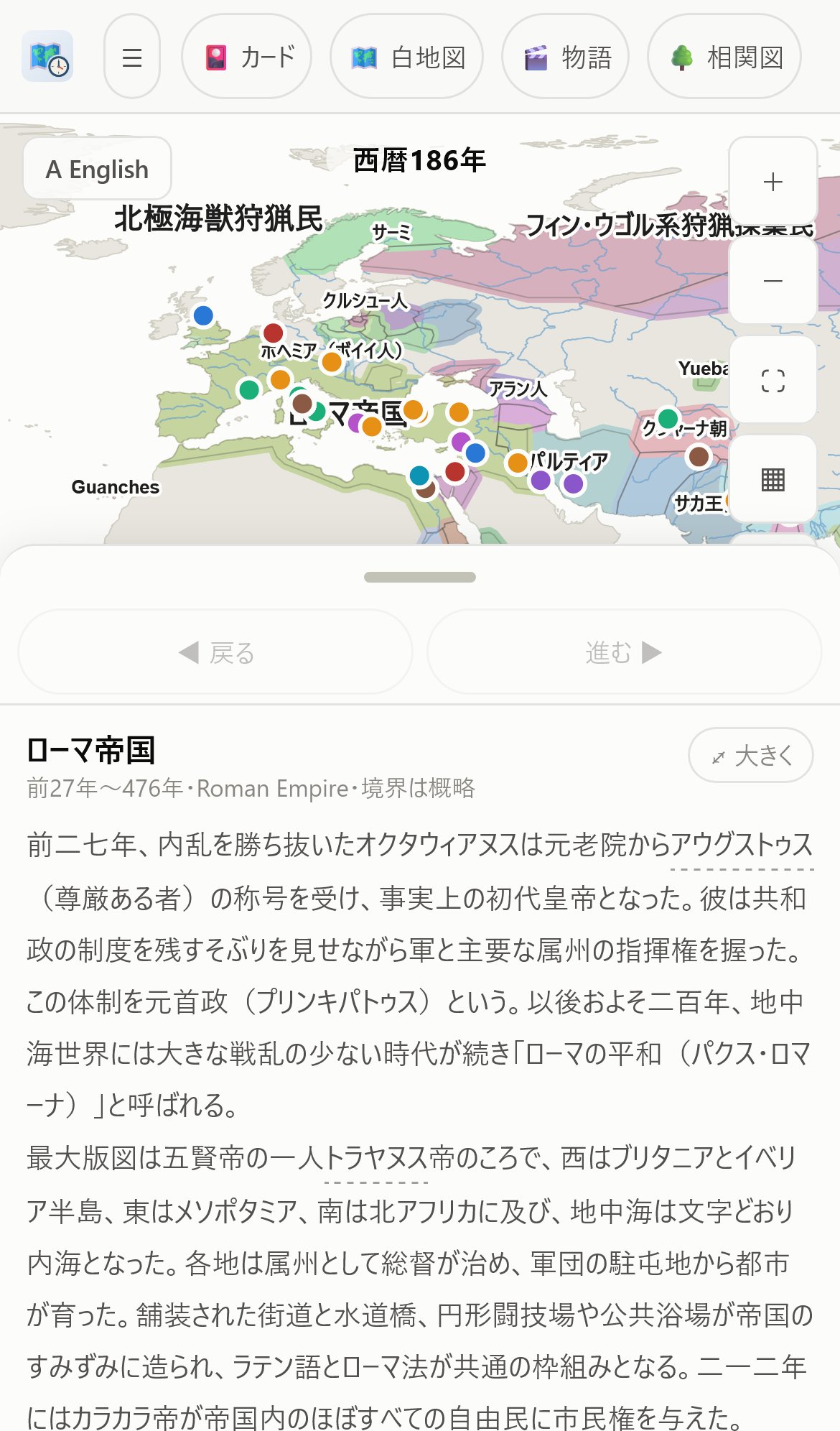
Press "⤢ Expand" on a card to read the full text comfortably in a full-screen reader. To close a card, select something else, tap an empty spot (the sea, say), or close the sheet. The ◀ Back / Forward ▶ buttons step through the pages you have viewed — events and info cards alike — and the map flies back to each place as you go.
4The timeline & playing through time
- Drag — move left and right through time
- Scroll wheel / pinch — zoom time in and out (the further you zoom in, the more minor events appear)
- Click an empty spot — the dashed cursor (playhead) moves there and the map switches to that year
- Tap a dot — opens that event's details
- ▶ Play (bottom left) — time flows: events pop up in place and borders animate as they change. Set the speed below ▶ (1 yr/s to 250 yr/s) and toggle popups with 💬. The Space key also plays and pauses
- Year readout above the map — click it to type a year and jump straight there (e.g. 1492, or 500 BC)
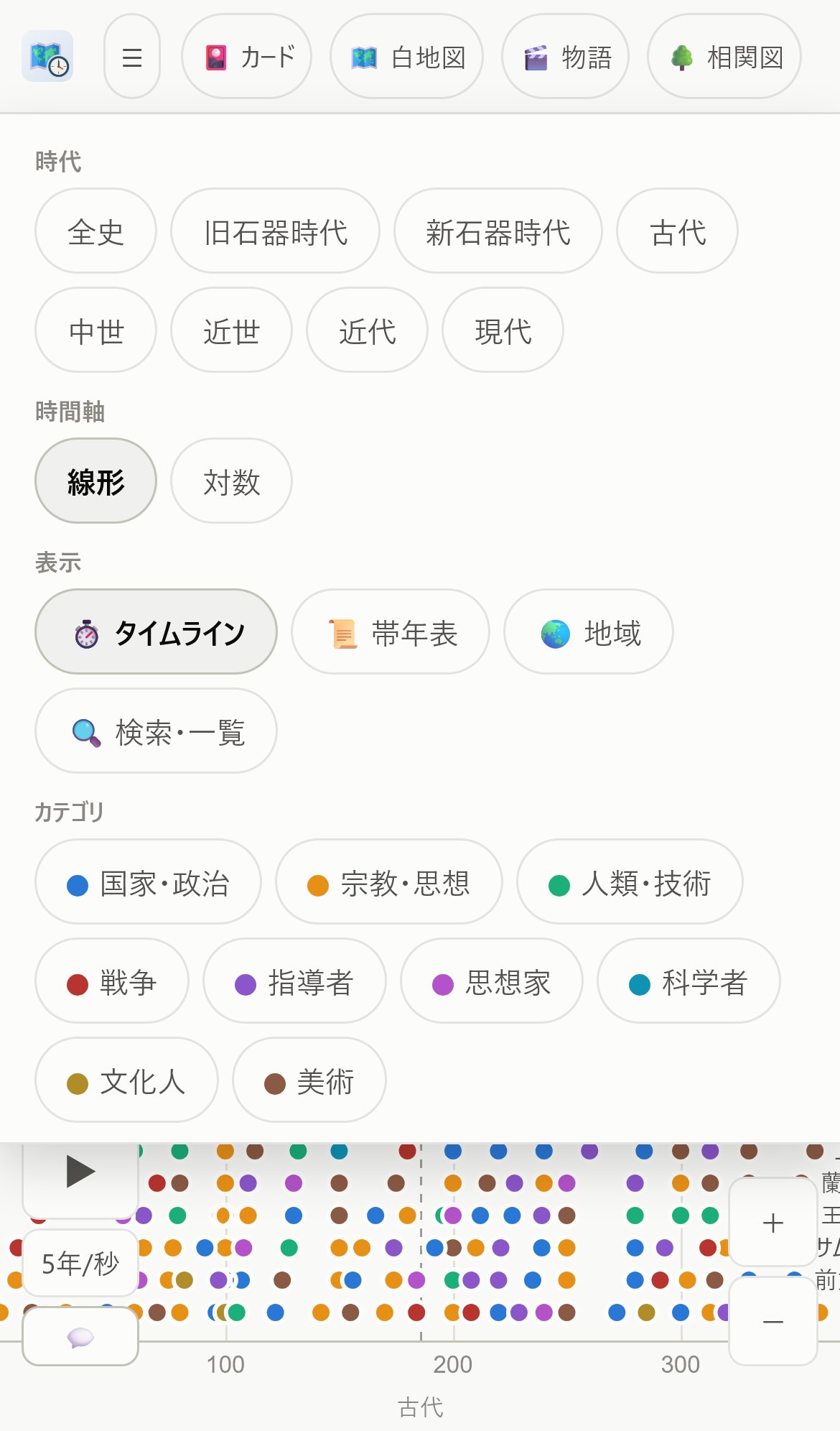
5The ☰ menu (Era, Time scale, View, Categories)
Press ☰ in the header to open a menu with all of the following.
- Era — jump in one tap from All time or the Paleolithic through to the Contemporary era
- Time scale — switch between Linear and Log
- View — open and close the ⏱ Timeline and 📜 Era bands, 🌏 Regions (filter what is shown by region), 🔍 Search & list (opens the panel), 🕰 Pins from all eras, 🎨 Color-vision mode, 🔄 Reset the view
- This view — 🔗 Share link, 🖨 Print map, 🖼 Save map as image
- Categories — toggle States & politics / Religion & ideas / Humanity & technology / Wars / Leaders / Thinkers / Scientists / Writers & artists / Art / 🏛 World Heritage. 🏛 World Heritage is special: it also picks up sites filed under another category (Horyu-ji under Religion, Himeji-jo under Art). Turn every other chip off and you get a World Heritage-only map.
- Read aloud — the voice and speed used for reading aloud (shared by stories, quizzes and description cards)
- Sound effects — 🔔 turn the right/wrong sounds on or off
- Pins — "Pin detail" sets the lowest importance shown on the map and in the list. The four levels follow the textbook: essentials only (events that anchor a unit), standard (up to the textbook's boldface level), in detail (terms that appear in the text and footnotes), and everything (extras, figures, every ruler of a dynasty). The default "auto" switches by the span of years on screen (over 10,000 years: essentials only; over 600: standard; otherwise everything)
- Text — text size (small to extra large) and font (sans-serif / mincho serif / rounded / Japanese schoolbook style). Changes apply immediately — including the country, place and river names drawn on the map — and are remembered. Fonts use typefaces installed on your device, so the available looks vary by model (the schoolbook face, for example, works on iPhone and Windows)
- Theme — the color scheme. Normally it follows your device's light/dark setting, but choosing "Light" or "Dark" pins that scheme regardless of the device (keep your phone in night-time dark mode while using ChronoMap on a bright screen, for example). Remembered for next time
- More — 📲 Install, ⬇ Save offline, 💾 Export data, 📥 Import data, 💬 Feedback, 📖 Guide (this page)
Toggles (Era, Time scale, View, Categories, Sound effects — anything whose effect lands on the map) leave the menu open, so you can flip several in a row. It closes only when you press something that takes you elsewhere (📖 Guide, 💬 Feedback, 💾 Export, 📥 Import, 🖨 Print, 🖼 Save as image, 🔗 Share, 🌏 Regions, 🔍 Search & list, 🔄 Reset the view) or tap outside it.
🔗 Share link
Puts the current year, map position, and selected event into a URL you can pass along. Paste "have a look at this map of 1492" into an assignment, or share a scene that caught your eye on social media. On mobile the share sheet opens; on desktop the link is copied. Whoever opens the URL starts from exactly the same view.
Press the 🔗 at the top right of an event's details to open the share panel: copy the link, use the system share sheet, or post to X, Facebook or LINE (whoever opens it starts with the details already showing). In the 🎬 Stories list, the 🔗 on each card shares a link that opens that story from the beginning.
🖼 Share as image
The share panel opened by 🔗 on an event's details, a story chapter, or a place card (countries, rivers, landforms…) also builds a shareable 1200×630 picture automatically: a photo (free-licensed Wikipedia image) + a locator map + the title and opening lines + a QR code (the link buttons work while the picture is being made). Country and empire cards show the territory chart instead; events without a photo use the map of their era. Scanning the QR code opens the same scene in ChronoMap.
- Save image / Save to Photos — straight to Photos in the app, via the share sheet's "Save Image" in mobile browsers, as a download on a computer
- Copy image — paste it straight into a post (Ctrl+V / ⌘V)
- Share sheet — on phones, sends the image and the link together to X, LINE and other apps
- X · Facebook · LINE — opens a post with the link; the picture becomes the link's preview there (the link is a short
thechronomap.com/s/…address that opens the original scene). To attach the picture itself, "Copy image" first and paste it in
Images and links made while in English open in English. Photo credits and licenses appear at the bottom left of the picture.
🖨 Print / 🖼 Save map as image
You can print the map exactly as you see it, or save it as a PNG image. The year is baked into the output, so you can turn a map you painted in the Map Quiz into something you hand in, or a teacher can make blank-map worksheets. Pan and zoom to frame the area you want before you press the button.
🔈 Read aloud (stories, quizzes, description cards)
The text is read out with a voice installed on your device. Where to find it: press the 🔈 near the top right of the screen you want read — it turns on and changes to 🔊. Press it again to stop. You will find it in these places:
- 🎬 Story cards — at the end of a chapter it moves on to the next one and keeps reading
- Event details, description cards, and ⤢ Expand (the reading view) — reads the text you have open
- Every quiz — 🗺 Map Quiz, 🎯 Mini test, 📈 Empires, 🎴 Journeys, Drills, Timeline order, the ❓ card quiz in the Collection, and the Daily review. Only the question itself is read: the question text, the answer choices, and — once you have answered — "Correct/Not quite" with the right answer. Progress counters ("3 to go"), on-screen instructions ("tap the map…") and button labels are left out
Once you turn it on it stays on as you move between screens, and the next time you open the app (off is remembered the same way). Pick the voice and speed under Read aloud in the ☰ menu. Only voices installed on your device can be used, so if the list is short you can add more — on iPhone, Settings → Accessibility → Spoken Content → Voices.
🔔 Sound effects
A bright rising pair of notes for a correct answer, a low pair for a miss. Where to find it: the 🔔 button under "Sound effects" in the ☰ menu turns them on and off (on by default, and remembered). The sounds are synthesized on your device, so they work offline and use no data.
🕰 Pins from all eras
Normally the map only shows pins for events inside the time range on the timeline. Turn this on and the map shows pins for events from every era, whatever the timeline is showing. Where to find it: 🕰 Pins from all eras, under "View" in the ☰ menu.
Category filtering still applies, so — for example — leave only 🏛 World Heritage on in Categories and turn 🕰 on, and every World Heritage site in the app lines up on a single map across all eras. Zoomed out, only the more important events are drawn; zoom in and the finer ones appear (no thinning when your filters leave only a few). The setting is remembered.
🎨 Color-vision mode
Because the political map distinguishes countries by color, neighboring countries can be hard to tell apart depending on how you perceive color. This button switches to a palette that does not rely on red–green contrast (hues based on the Okabe-Ito palette, a standard for color-accessible design) and increases the difference in lightness so that neighbors are easier to separate. The setting carries over to your next visit.
6Era bands
Above the timeline, ChronoMap shows bands of dynasties and civilizations by region (Western Europe / Eastern Europe & Russia / West Asia / India / China / Japan / The Americas). At a glance you can see what era each region was in at the year you are viewing on the map.
- Tap a band — a description of that dynasty or era, plus a button to see its stretch of the timeline
- Toggle the bands any time with "▾ Era bands" at the right of the header
7Search & event details
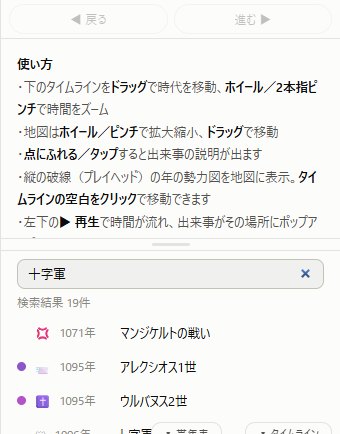
The panel's 🔍 search box covers all 6,777 events across every era (the 🔍 button on the right edge of the map opens it instantly; ☰ → Search & list works too). The list below it shows the events in the range you are currently viewing; tap one for details.
📍 You can search for places too. About 5,500 cities (major world cities, Japan's prefectural capitals, and historic cities such as Chang'an and Constantinople), 192 countries, states and provinces, mountains and rivers, and historical powers (the Roman Empire and so on) — some 13,000 entries in all, listed above the events. Tap one and the map flies there and drops a 📍 pin. The card shows the succession of powers that ruled that spot (e.g. Paris → Roman Empire → Frankish Kingdom → … → France; tap any of them to jump to that era's map) and every event that happened there, across all of history. Choose a historical power and the year jumps to its era with its territory displayed.
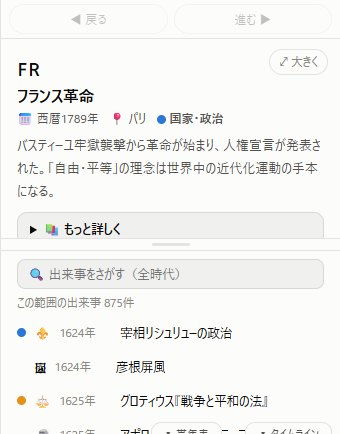
An event's details include:
- The line under the title — 👤 life dates (for people), 📅 year, 📍 place, the field (coloured dot) 🏛 World Heritage, and 📄 Source (a link to a primary source such as the paper or patent, on the IT and data-model events). Tap the 📍 place name and the map moves there at the zoom level you are already using (the pin gets a selection ring; only when the whole world is in view does it also zoom in to about country scale first). The same line appears on the event cards you open during a story or a journey, and in the ⤢ reader
- The main text, and for major events 📚 In depth — a longer, fuller account
- ← Causes & background / What followed → — chips that let you follow the chains of cause and effect. The single best way to learn history as a flow rather than a list
- ⤢ Expand — the full-screen reader
- Portraits for people and images for artworks (tap to enlarge)
8Map layers (states & provinces, climate, terrain) and search
The column of buttons on the right side of the map switches layers and opens search.
- ▦ States & provinces — modern states and provinces (from 1871 on) or ritsuryo provinces (Japan's classical administrative districts, 701–1871). Zoom in and they are color-coded; tap one for its article (364 world regions plus Japan's 47 prefectures and 70 ritsuryo provinces, all written for the app). Each press of the button cycles off → major only → detailed
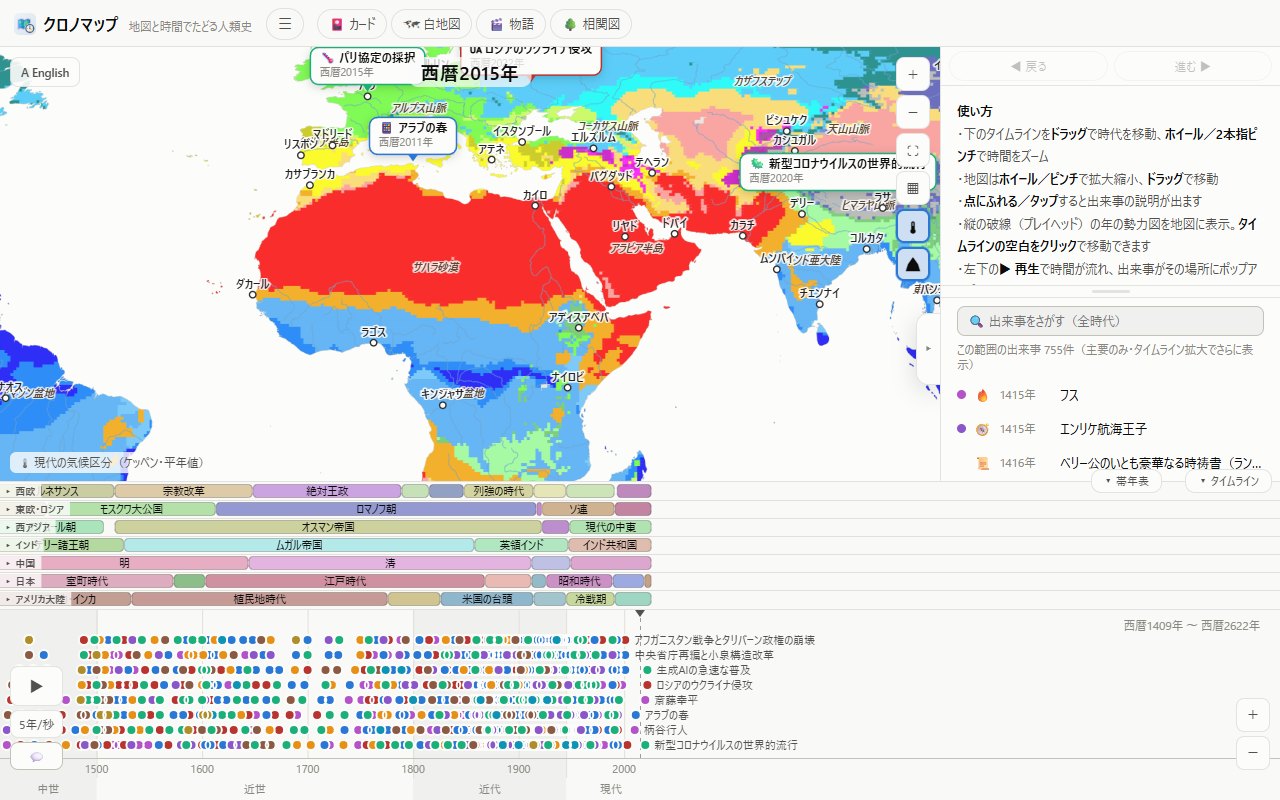
- 🌡 Climate — paints the Köppen climate zones; tap a city for its temperature-and-rainfall chart (80 cities). Great for geography study
- ⛰ Mountains & rivers — major rivers plus mountain ranges, deserts and other landforms. Tap for articles
- 🔍 Search — opens event search. Look up events from every era, plus places (cities, countries, landforms) by name
9🎬 Stories
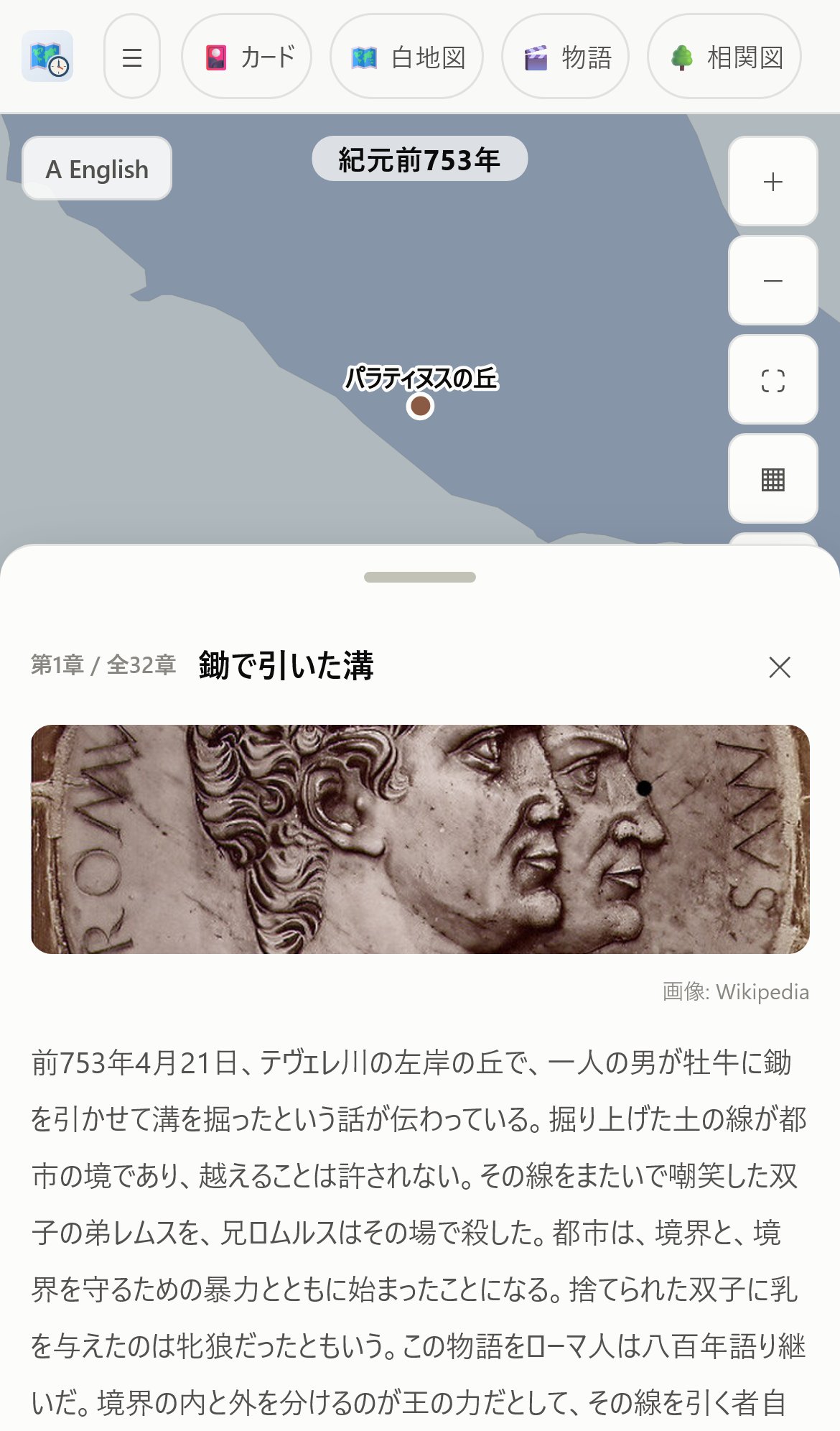
117 narrated stories with over 2,400 scenes. As the narration unfolds, the map flies to each place, campaign and travel routes extend across it, and the political map repaints as the chapters advance. Subjects include a thousand years of Rome, the Mongols, the age of exploration, the Ōnin War, the fall of the shogunate, the history of philosophy, the history of money, the story of art (17 volumes, 598 works), the stories of World Heritage, and “History through Books” — landmark books such as Sapiens, The Dawn of Everything, Guns, Germs, and Steel and Collapse, read on the map.
The 🔈 button on a story card reads it aloud (using the voices built into your device). With it on, each chapter flows automatically into the next, so you can simply listen. In English mode it reads with an English voice. Choose the voice and speed (0.8–2.0×) under "Read aloud" in the ☰ menu (picked from the voices installed on your device; changing it plays a short preview). If few voices are available, you can add more on the device — on iPhone, go to Settings → Accessibility → Spoken Content → Voices to download them (the "Enhanced" versions sound best). Note that Siri's voices cannot be used by apps, an Apple restriction.
- Open the list from 🎬 Stories in the header and pick a story
- Next ▸ / ◂ Back move through the chapters. Tap images to enlarge them
- Underlined words in the text, map pins, and dots on the timeline open that event's explanation card with a tap (it appears above the story card — close it with ✕ or resize it with the handle underneath; the story is never interrupted)
- Events of the same era that are not part of the story also appear as small, faint pins, so you can check "what else was happening in the world" on the spot. The event list below works as well
🌊 The River — history as one continuous flow
Where a story digs deep into a single episode, the River runs one continuous chain of cause and effect from prehistory to the present. Each chapter opens with a question, walks you through short sections, and closes with the answer. The prose is deliberately plain and textbook-like, so you can follow the skeleton of a whole history in one sitting. There are now more than sixty rivers: Japanese History (23 chapters, Paleolithic to Reiwa), the River of Europe (21 chapters, the shared trunk from the Ice Age hunters to the EU), five national rivers — French History (from the Celts of Gaul to the Fifth Republic), German History (from the forests of Germania to reunified Germany), Italian History (from the Etruscans and Rome to the Republic), British History (from Celtic Britain to Brexit) and Russian History (from Kievan Rus' to Putin's Russia) — a regional trunk, the River of Eastern Europe (from the steppe and the Slavs to the EU's eastward enlargement), and further great trunks — the River of the Middle East (17 chapters, from the first farmers and Mesopotamia through Islam and the Ottomans to the Arab Spring), the River of the Steppe and Central Asia (16 chapters, from the taming of the horse and the Scythians through the Xiongnu, the Turks and the Mongol empire to Soviet delimitation and the independence of the five republics), the River of Chinese History (22 chapters, from the farmers of the Yellow River and the Yangtze through Shang and Zhou, Qin and Han, Tang and Song, Yuan, Ming and Qing to the 1911 revolution and Reform and Opening, with the emperors on the 👑 chip), the River of Indian History (15 chapters, from the Indus civilisation and the Aryans through the Mauryas and Guptas, the Delhi Sultanate, the Mughals, British rule and Gandhi to independence and Modi) — and more national rivers: American History (14 chapters, from the Native American continent through the Revolution, the Civil War and the superpower years to the age of division, with every president on the 👑 chip), Spanish, Portuguese, Dutch and Belgian History (each reading the European trunk through its own land, with its own chapters on Iberia, the voyages, the Dutch Revolt, the language border and so on), and Polish, Ukrainian and Balkan History, which draw on the East European trunk, Iranian History (drawing on the Middle East trunk), Austrian History, and two regional rivers, the Nordic Countries (Denmark, Sweden, Norway, Finland and Iceland) and the Baltic (Estonia, Latvia and Lithuania, with Belarus joining the stream), plus Greek History (from the polis through Byzantium, Ottoman rule and independence to the euro crisis, drawn from the European trunk), Turkish and Egyptian History (from the Middle East trunk) and Hungarian and Czech History (from the East European trunk). The rest of the world has trunks of its own: Korean History (13 chapters, from Gojoseon and the Three Kingdoms through Goryeo and Joseon, colonial rule, division and the Korean War to the two Koreas today), the River of Southeast Asia (13 chapters, from Indianisation and the maritime empires through Theravada and the port states, colonisation and independence to ASEAN), the River of Africa (13 chapters, from the cradle of humankind through the golden empires, the slave trade and the Scramble to independence, civil wars and growth), the River of Latin America (13 chapters, from the Maya, Aztecs and Incas through conquest and colony, independence, revolutions and juntas to the present) and the River of Oceania (7 chapters, from the first seafarers and the Polynesian expansion through Cook, colonisation, ANZAC and nuclear testing to the islands today). National and regional rivers branch off these trunks: from Southeast Asia, Vietnamese, Thai, Indonesian, Burmese, Philippine, Cambodian and Malaysian-Singaporean History; from Africa, South African, Ethiopian, West African and Maghreb History; from Latin America, Mexican, Brazilian, Argentine-Chilean, Peruvian-Andean and Cuban History and the Caribbean; from the Middle East, Arabian, Iraqi, Israeli-Palestinian and Syrian-Lebanese History; from Oceania, Australian and New Zealand History; from Eastern Europe, Romanian-Bulgarian History; from Europe, Swiss and Irish History; from Africa, East African and Congo-Central African History; from Latin America, North Andean History; from Central Asia, Uzbek-Tajik-Turkmen and Kazakh-Kyrgyz History; from Oceania, Pacific Islands History. Mongolian, Pakistani-Bangladeshi, Afghan, Canadian, Taiwanese, Yemeni-Omani-Gulf, Sudanese, Tibetan, Central American, Hong Kong-Macau, Caucasian, Nepali-Bhutanese, Sri Lankan, Albanian-Kosovar, Slovak, Southern African, Horn of Africa, Jordanian, Lao, Belarusian, Moldovan, Cypriot-Maltese, Paraguayan-Uruguayan, Bolivian, Madagascar-Indian Ocean, North Korean, Singaporean, Timor-Leste and Brunei, Finnish, Croatian and Slovenian, Serbian and Montenegrin, Bosnian, North Macedonian, Icelandic, Luxembourg and Europe's Microstates, Guyanese-Surinamese-Belizean and Caribbean Island Nations' History are trunks of their own. With these, every one of the 193 UN member states is covered by at least one river. The list is divided into regional sub-shelves (Japan, East Asia, Western Europe and so on), each ordered trunk first and then its countries, and each entry carries a "Covers: …" line naming the countries it includes. Where two trunks touch the same events, a "🌊 Read in another river" side road links them automatically. All are fully translated.
National rivers borrow the periods that several countries share — the Roman Empire, the Frankish kingdom — from the European trunk, retold from that land's point of view. Open French History and it reads straight through from antiquity as the story of the land of France; shared chapters carry a "🌊 Read in the River of Europe, ch. N" side road to the continent-wide view, and the 👑 chip switches by chapter from Roman emperor to Frankish king to King of France to president.
- Opening it — press 🎬 Stories in the header; the "🌊 The River — history as one continuous flow" shelf sits at the very top of the list. Like the other categories it starts closed: press the heading to open it and pick a river
- 👑 The ruler of the time — at the right of the section's heading line, beside the year and the level badge, you get the emperor who was on the throne in that year, as "👑 Emperor Kanmu (50th)". The heading is fixed, so the chip stays in view without scrolling however long the section runs. Press it to open that emperor's card and see whose reign the section belongs to. When a section spans more than one reign — that is, when the throne changes between this section's year and the next one's — the chip becomes a list box holding every emperor who reigned in that span, in order of accession. The list also holds the people who actually held power in that span — the Soga and Fujiwara regents, cloistered emperors, Taira no Kiyomori, Minamoto no Yoritomo, the Hōjō regents, the Ashikaga and Tokugawa shoguns, and the prime ministers of the modern era — grouped under "De facto ruler" beside the emperors. The one shown first is the representative ruler (the most important of them in textbook terms, and on a tie the one who held power longest within the span); pick another and its card opens, or press 📖 beside the list to open whichever is currently selected (on a narrow screen the ordinal is dropped — "👑 Emperor Kanmu" — with the full name in the tooltip; sections before the first emperor, in the Paleolithic and Jōmon, show none)
- Level of detail — the selector under the card switches between Essentials only / Standard / In detail. In textbook terms: Essentials only = the load-bearing points of a unit, Standard = down to the terms printed in bold, In detail = the fine print of the body text (hover the selector for the same note). It starts on In detail, so every section is there; drop to "Essentials only" when you want the shape of the flow in a hurry. Your choice is remembered
- The era band — the strip under the heading lays out the eras. Tap one to jump to the start of that era. When there are more eras than fit, swipe, drag, or use the mouse wheel to move the band (it also scrolls itself so the current era stays centred as you read). The chapter title just below it doubles as a chapter picker
- Side roads — beneath each section you get the 📖 event cards it refers to, a 📖 link into the story that covers it in depth, and 🌍 Meanwhile in the world (events of the same years from outside the river's own part of the world). "Meanwhile in the world" is open from the start — up to three contemporary events are there without a tap, and pressing a row opens its card. The picks lean far away: the river's home region is left out (Europe for the French river, Japan for the Japanese one) and the three rows are taken from as many different regions as possible — East Asia, South Asia, West Asia, Africa, Europe, the Americas — so a Frankish section sits beside Tang China and the kingdom of Ghana. A small tag at the head of each row says where it happened (for thinly recorded ages the search widens to ±100 years to find three). After a detour into a story, "🌊 Back to the river" returns you to the same section
- Bookmark — your place is saved automatically. The list shows it as "🔖 Ch. 3 — 3/21"; tap to resume, or use "From the start" to begin again
- The map holds still; the place lights up — the River runs hundreds of sections one after another, so flying and zooming the map at every one is tiring to watch. Instead the map settles once on a frame that holds the river's home ground (the whole of Japan for Japanese history, France and its neighbours for French history) when you open the river, and moving between sections never changes the zoom. The section's pins glow instead, so you can see where the story is. (For sections whose pins lie outside that home frame, the map slides sideways at the same scale, then slides back once the pins are inside it again.) Once you have zoomed or panned yourself, your scale is kept and the map only nudges when a pin would otherwise be off screen. The timeline still follows each section's year
- While you are reading, the panel (the sheet on mobile) becomes a reading surface: the event list below folds away so that a section's flow text can be read at a glance without scrolling. Contemporary events are still there under "🌍 Meanwhile in the world" and as faint pins on the map, and search stays available from the 🔍 button beside the map. Below the text, the event pins, the side roads and "🌍 Meanwhile in the world" continue as one scroll; a softly faded bottom edge means there is more below
- On a computer, ← → move between sections and Esc closes the reader
10🎴 Quizzes & Cards (Journey, Drill, Timeline, Collection)
A game where you collect event cards by answering quizzes correctly. Open it from 🎴 Quizzes in the header.
Journey
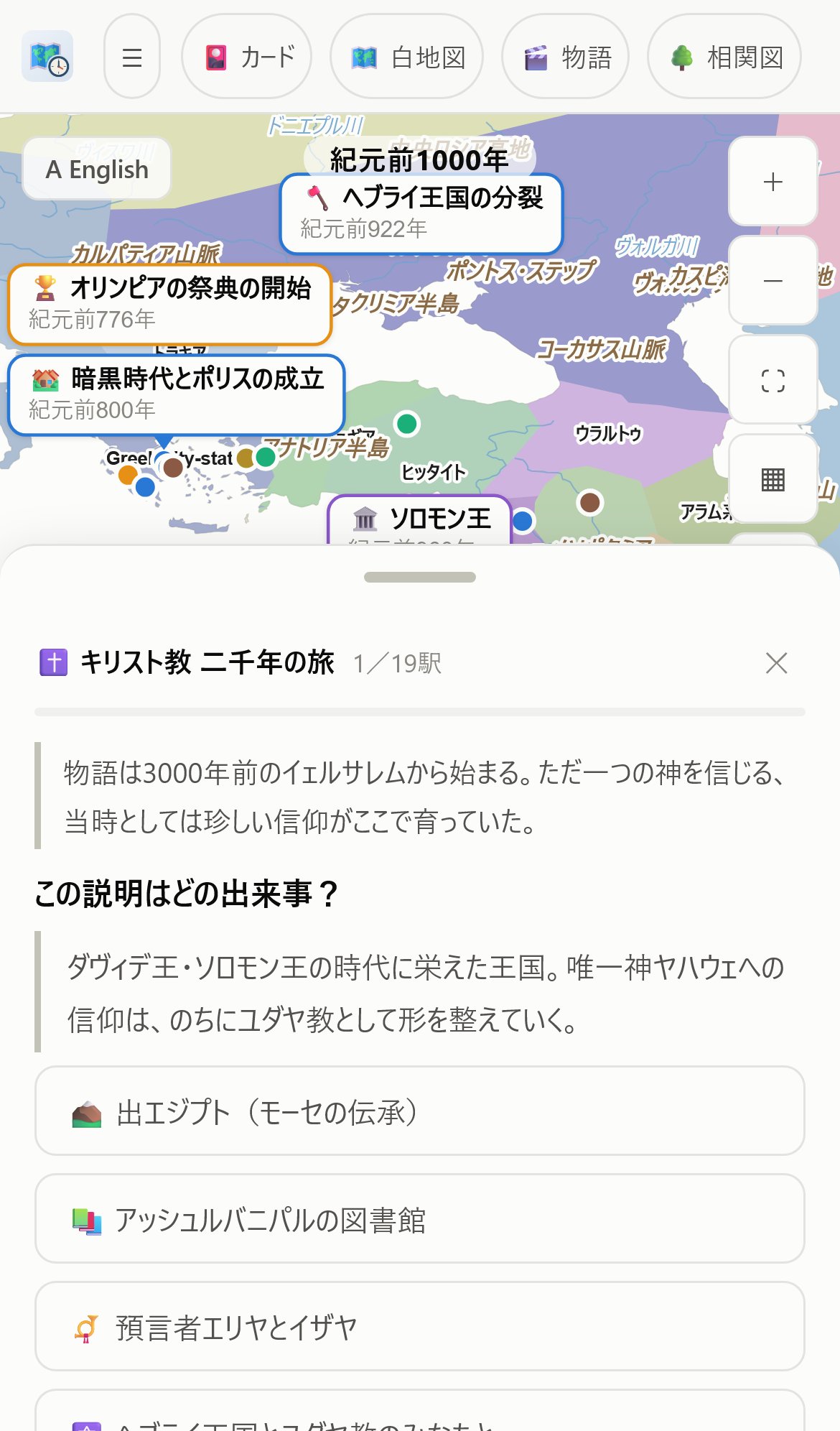
Pick a theme and set off on a journey across the map in chronological order. Answer each quiz (which event is this / where did it happen / put these in order) to win the card. You can retry as often as you like. Finish the whole journey for 🧩 +5 shards and a bonus SR card.
The "📖 Story review journeys" retrace what you read in 🎬 Stories as quiz journeys to make it stick — there is one for every story. The best way in is directly from a story's ending, via "🧭 Review with quizzes" (being quizzed right after reading is when it sticks best). From the journey's completion screen, "📖 Reread the story" takes you back the other way.
Daily review (spaced repetition)
Cards you collect are tracked automatically, and the app brings each one back just as you are about to forget it. Every correct answer pushes the next review further out (1 day → 3 days → 1 week → 2 weeks → 1 month → 3 months); a miss brings it back tomorrow. At most 20 come up per day, so a backlog never becomes a burden.
Open the tab and it says "N due for review" — just press it and answer. Questions come in two types: which event is this, and what year. In the app version you can have a reminder at a set time every day (it works entirely on the device, no network involved).
Answering your reviews builds a 🔥 streak of consecutive days. Even one question a day keeps it growing, and your best streak is recorded — a nice nudge toward a daily habit.
Timeline
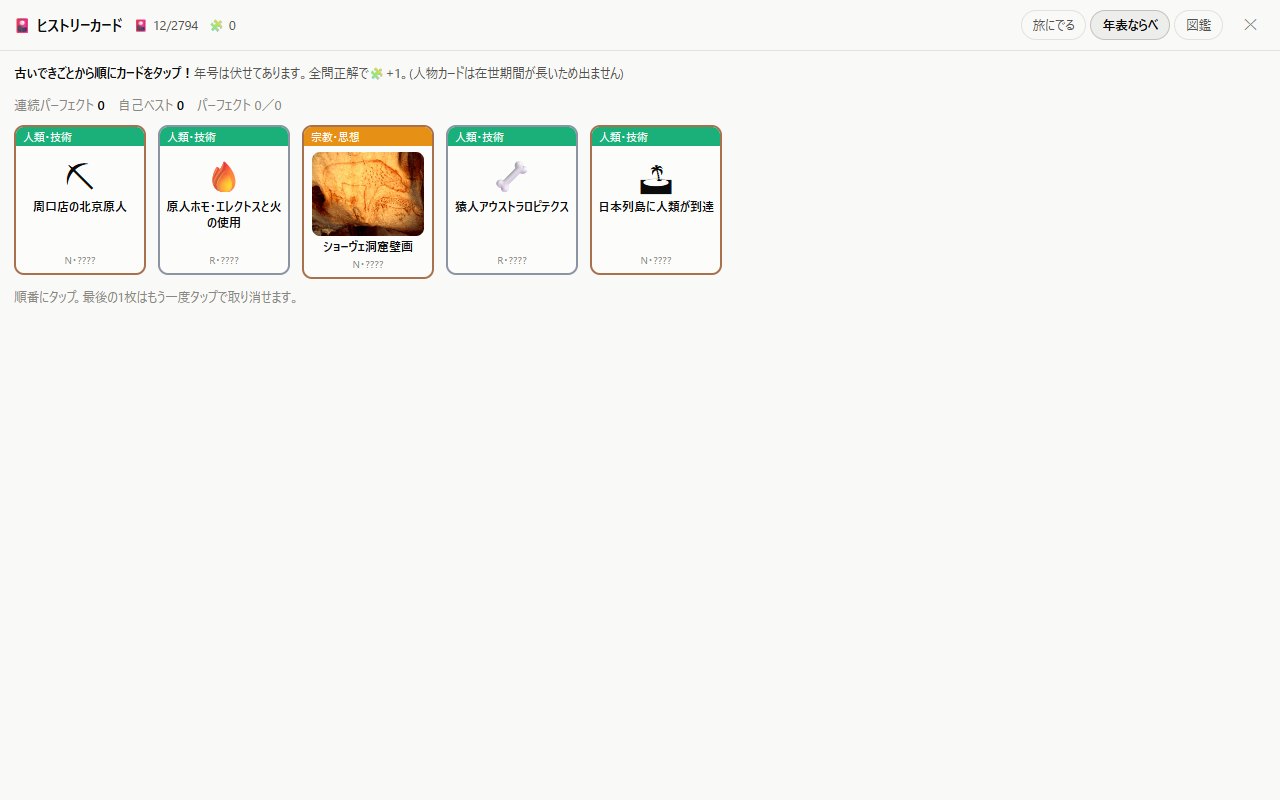
Five cards from your collection, each from a different year, with the years hidden. Tap them from oldest to newest. A perfect round earns 🧩 +1, and consecutive perfect rounds are tracked. The reveal shows the years and the correct order, so checking your answers is itself a review.
Drill (practice by subject)
Pick a subject (History, Geography, Ethics) and a format, then work through a set. Alongside the number of questions (10–100) and the time limit (5 seconds to no limit), eras and regions can be combined freely (e.g. Modern + Contemporary × Japan + East Asia). Japan is split into four spans for Japanese-history study: prehistoric–ancient, medieval, early modern, and modern–contemporary. Narrow the pool to "⭐ Favorites" (only pins you starred on the map) or "❌ Missed before" (only questions you previously got wrong) for last-minute cramming or weak-spot repair.
- Type the year — the advanced format: read the description and type the year directly, with no choices. BC/AD is shown for you; just enter the digits and press Enter (or "Answer")
- Year (4 choices) / Event (4 choices) — multiple choice. Event (4 choices) asks which event a description refers to
- Cause (4 choices) — "Which of these was a direct cause of this event?" — good preparation for essay questions. Questions come from events in your completed story combos (the more combos you finish in the Collection, the more questions unlock)
- Geography — four-choice "which place does this describe?" from articles on countries, landforms and rivers. Ethics draws on religion & thought and the thinkers
Press "I don't know" to see the answer without a wild guess polluting your accuracy, and you can "Quit" partway at any time. Events you answer correctly become cards and join your review pool (geography articles are not carded). Missed questions stay on the results screen and under "Your weak spots" on the settings screen.
Beyond the results-screen list, anything you miss twice or more appears on the settings screen as "Your weak spots". Your record is stored on the device — use it to hunt down weaknesses.
Collection
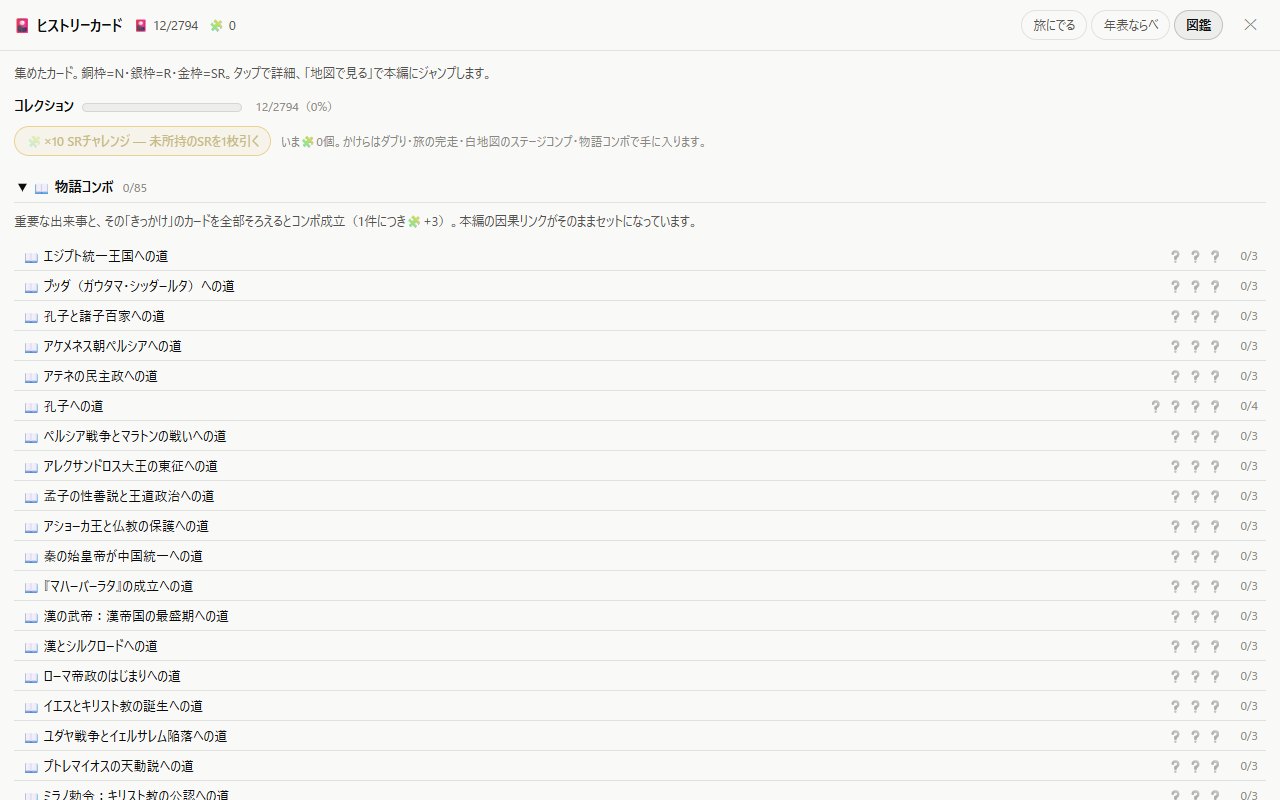
Your card collection. All 6,777 events are listed, organized by chapter. Cards you own show their pictures right in the list (loading as they scroll into view). There are rarities (N/R/SR), an overall completion rate, and story combos (complete one by collecting an event's card together with the cards of its causes — about 2,000 sets, by chapter). On a combo row, ✏️ Drill quizzes you on just the missing cards in a run, and once the combo is complete, ▶ Play traces its causal chain (cause → consequence) across the map. You can also tap individual ❓ members to try them. Completed combos also feed the Drill's "Cause (4 choices)" format. 🧩 Shards are a record of effort, earned from duplicates, journey completions, Map Quiz stage completions, and combos.
Tap any ❓ card you don't own yet to attempt it on the spot — answer correctly and it's yours (miss and the answer is shown; you can try again another day). And on the map, press the ☆ at the top right of an event to add it to ⭐ Favorites, which you can revisit any time from the ⭐ list in the Collection. The Collection also opens directly from the 📖 Collection button in the header.
11🗺 Map Quiz
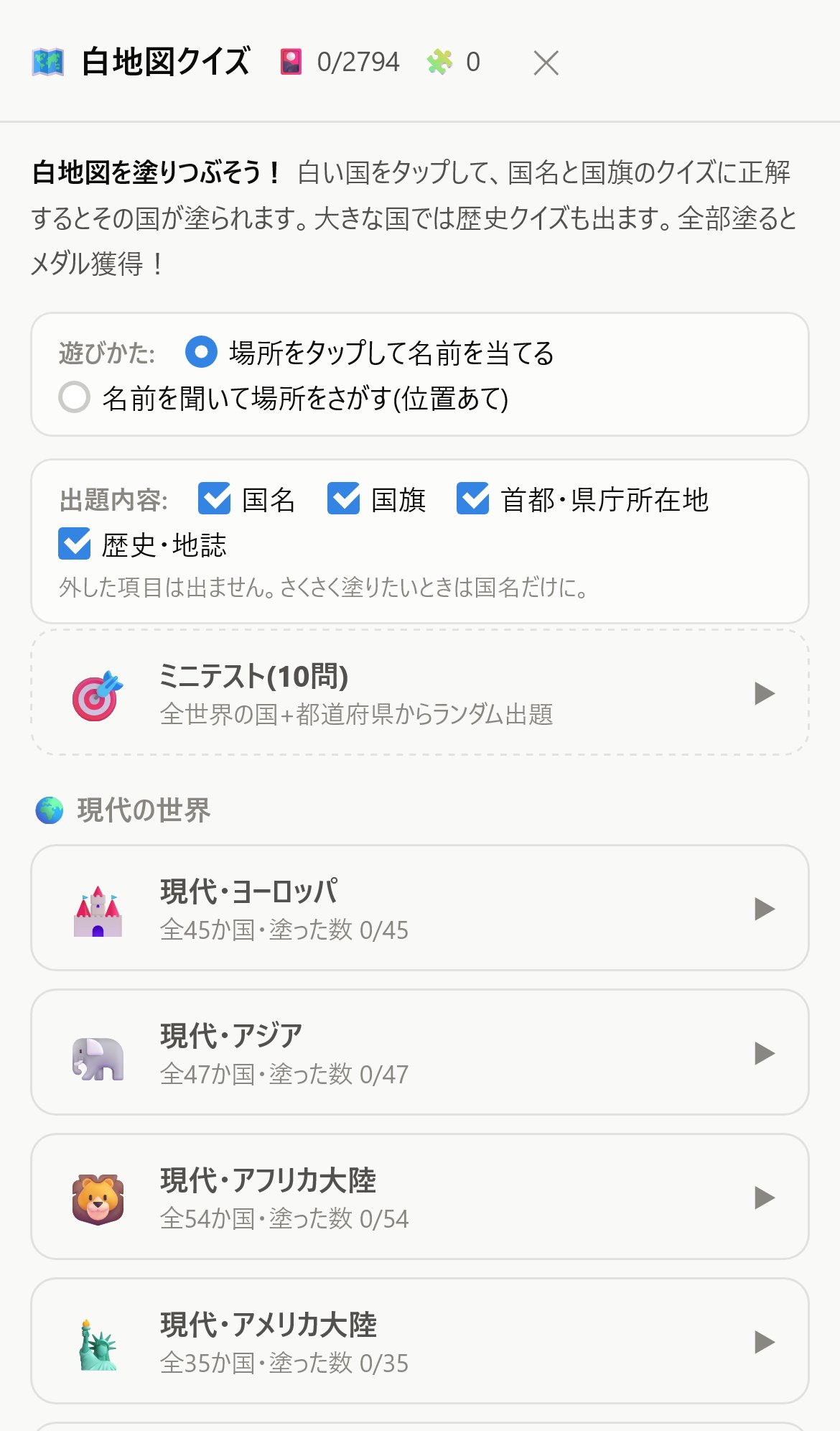
Paint a blank map country by country by answering quizzes — a classic mode that works for exam prep too. Open it from 🗺 Map Quiz in the header.
Two ways to play
- Tap a place, name it — tap a white country, answer the quiz, and it gets painted, earning you a land card (with geography notes)
- Hear a name, find it — "Where is France?" Hunt it down on the map and tap it. The same direction as blank-map questions on entrance exams
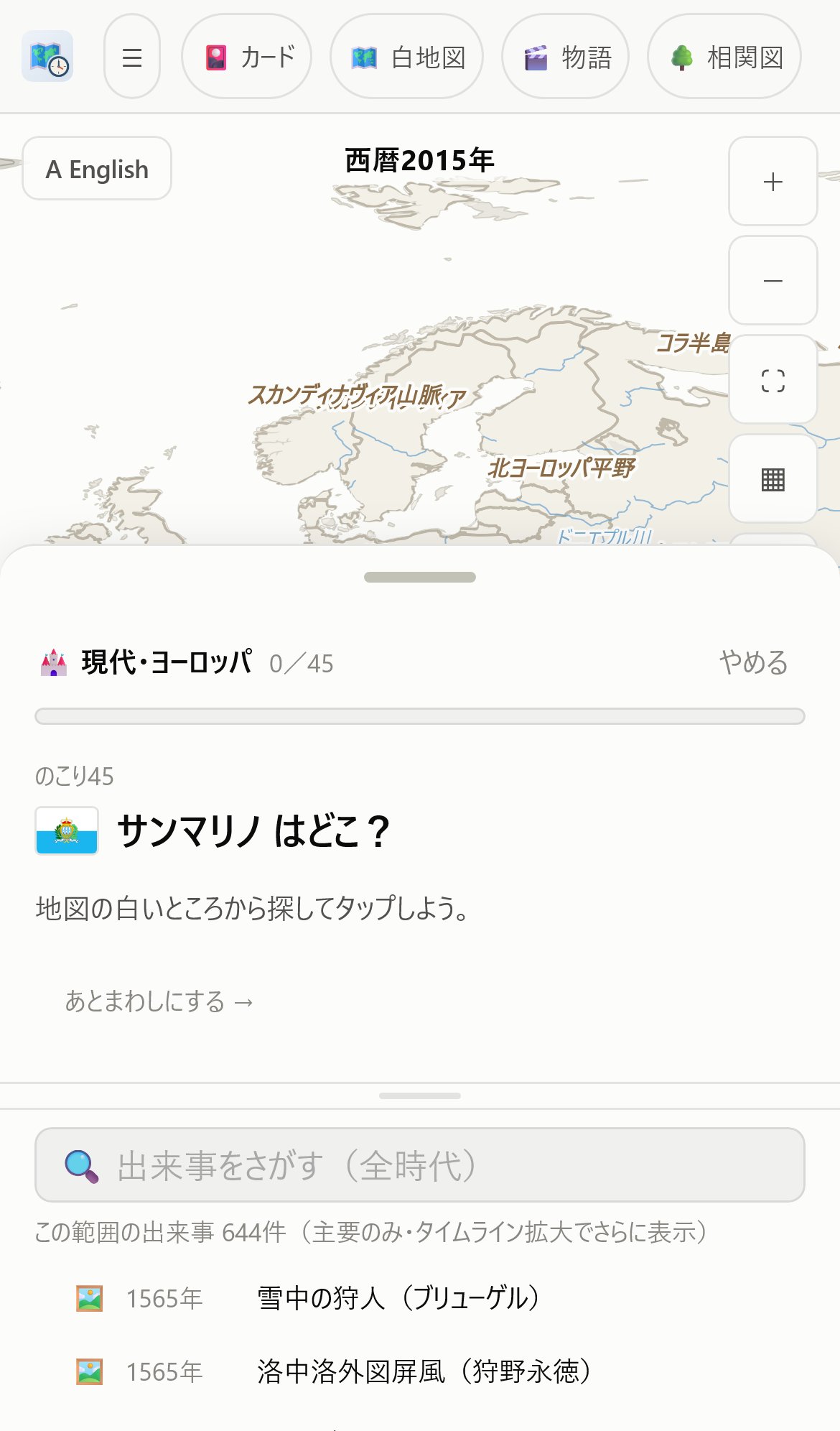
Choose what you're asked
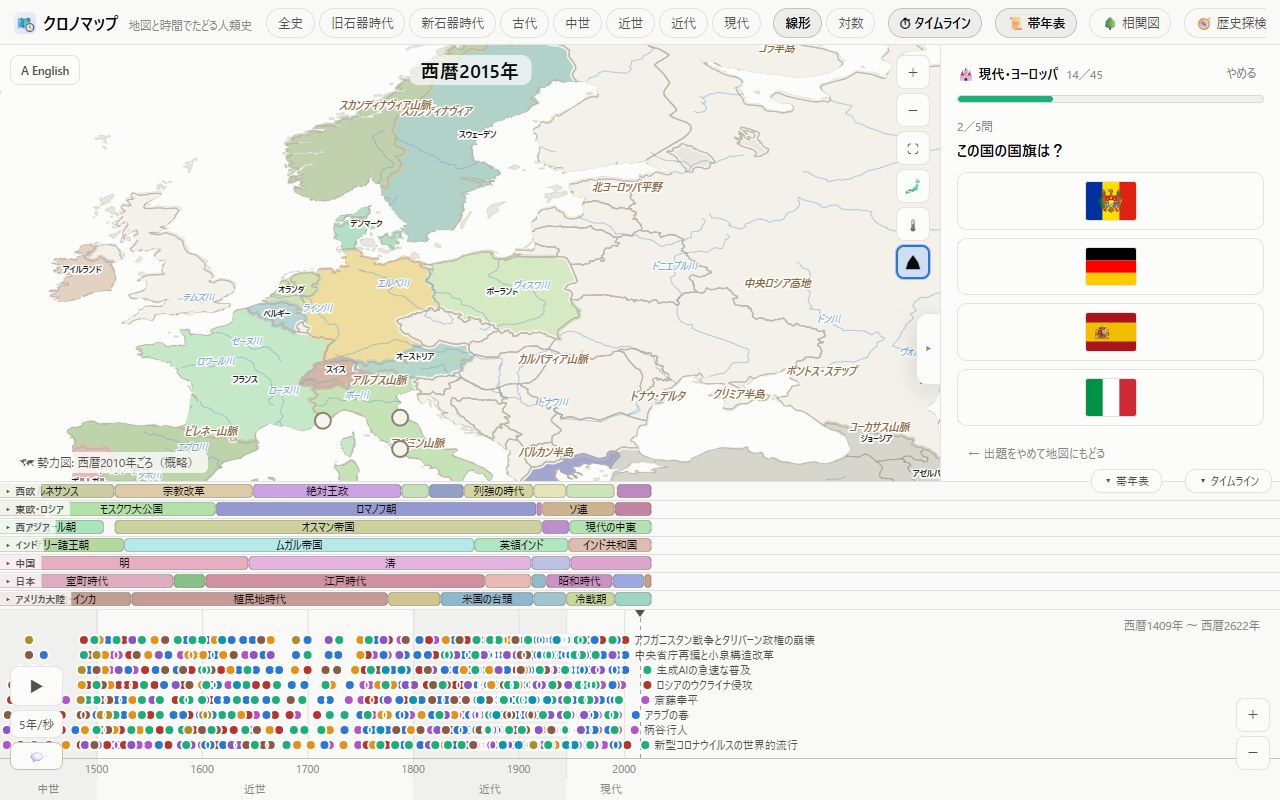
Customize the questions with the Name / Flag / Capital / History & geography checkboxes. Check Name only and each country takes a single tap — a quick-run mode. Countries you miss stay white, and from the second try the choices shrink to make another attempt easier. Paint a whole stage for a rank medal (SS/S/A/B) and 🧩 +10.
Three kinds of clue in find-the-place
Pick "Hear a name, find it" and the same checkboxes become your choice of clue.
- Name — "Where is France?" Tap the country (or prefecture) by its shape
- Flag — just the flag, and "Which country flies this flag?" Offered on the modern-world stages
- Capital — just the city's name, and "Ottawa is the capital of which country?", "Kobe is the capital of which prefecture?" You answer exactly as with a name: tap the shape of that country (or prefecture). Get it right and the pair is shown — "Ottawa is the capital of Canada" — so the city and the country stick together
"History & geography" questions are multiple choice, so they do not appear in find-the-place (they are in tap mode and the mini test). Flags and capitals are not asked on the historical stages, where only modern ones exist and would be anachronistic. Timing, best times, sound effects, read-aloud and 🔥 hard mode all work the same whichever clue you use.
Start over as often as you like
The paint is cleared when you Quit, so opening the stage again starts you from a blank map. You can replay the same stage any number of times. Land cards, medals, 🧩 and the 🔁 review list (the places you missed) are never lost. The number in the stage list is how many you have answered correctly on the first try — it builds up as you play, and it is what the medal is based on.
🔥 Hard mode
Correct answers do not get painted. The map never shows you which places you have already answered, so you have to hold the whole thing in your head. Where to find it: on the 🗺 Map Quiz select page, tick "🔥 Hard mode (correct answers stay unpainted)" just below the question checkboxes, then pick a stage. Only the colour is withheld — your progress, land cards, medals and 🧩 are all recorded as usual. Finish a stage this way and the medal in the stage list gets a 🔥. Instead of paint, the place you answered flashes for a moment (green for correct, red for wrong), so you still feel the answer land — but you still have to remember where you have been.
⏱ Times and best times
Opening a stage shows the map and a start panel first; the clock only starts when you press ▶ Start, so take your time looking over the map (taps are ignored until then). A stopwatch runs next to the progress counter at the top of the panel, counting tenths of a second from the moment a question appears (it stops when you answer). Paint a whole stage and your total time appears on the results screen; the top 5 times are kept for each stage. Beat the first place and you get "🏆 New personal best!". Normal and 🔥 hard runs are ranked separately, each row showing the rank, the time and the date. Where to find it: the results screen when you finish, or "🏅 Best times" under a stage on the 🗺 Map Quiz select page. Times depend a lot on which question types you ticked and on the mode you play (tap / find the place), so compare like with like. Records are included in 💾 Export data.
Stages
- The modern world — Europe / Asia / Africa / The Americas / Oceania / all 195 countries
- History — 500 BC Persia and Greece; 117 Rome at its height; 800 the coronation of Charlemagne; 1279 the Mongol century; 1600 the age of Sekigahara; 1800 the eve of Napoleon; 1812; 1815 the Congress of Vienna; 1830; 1871; 1880; 1900 imperialism; 1914 the eve of the Great War; 1920 the Versailles system. Answer "Which power is highlighted?" to paint the map of each era
- Japan — the 47 prefectures (with prefectural-capital quizzes) and the 70 ritsuryo provinces (old province name → modern prefecture)
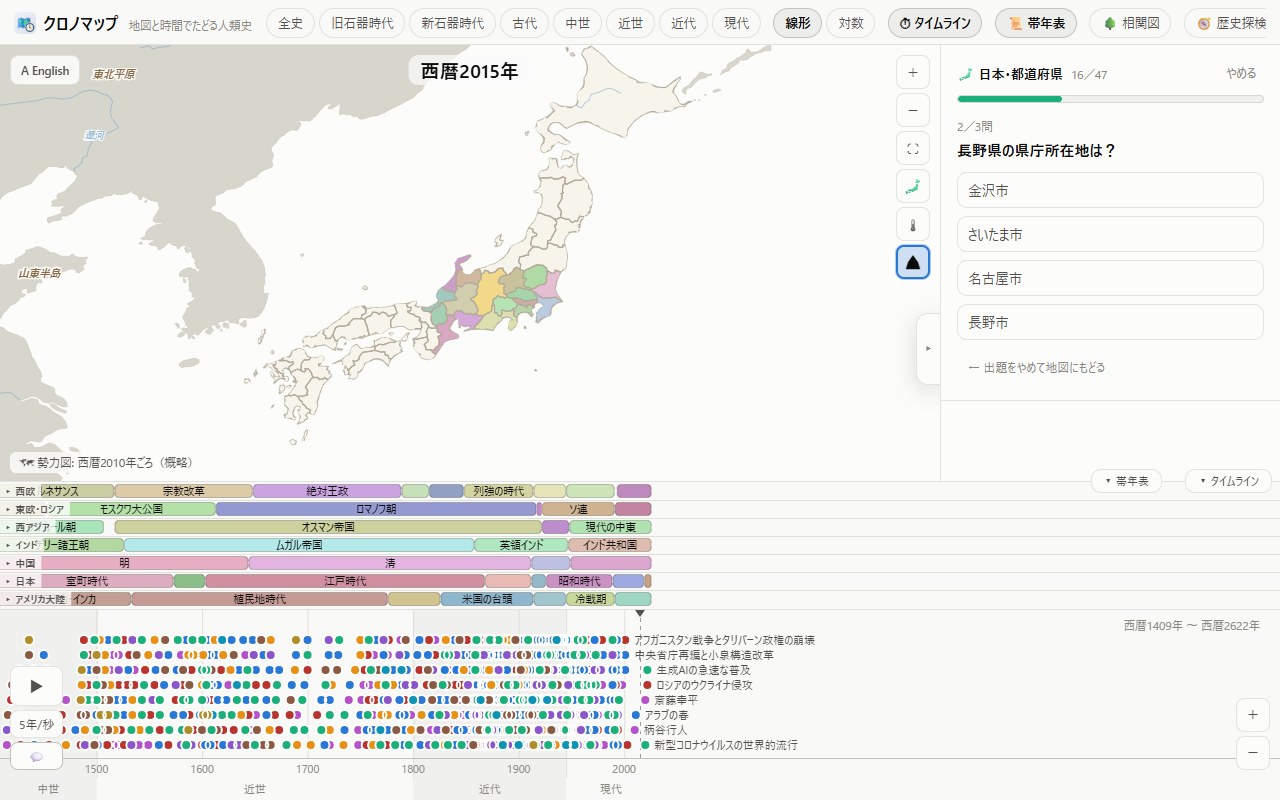
Review & mini test
- 🔁 Review the places you missed — only the spots you got wrong are reset to white for another go. Answer correctly and they graduate from the list
- 🎯 Mini test (10 questions) — random questions from the whole world plus the prefectures (mixed types). Records your score, your time, and your personal best
12📈 Empires: rise & fall
A mode for learning territorial change by predicting it, then watching the animated answer. Where to find it: open 🗺 Map Quiz in the header and scroll down the stage list to the "📈 Empires: rise & fall" section, then pick "Napoleonic France" or "the Empire of Japan" (there is no separate button for it).
- Asked "How far does it spread next?", tap the map to make your guess (no penalty for missing)
- The political map switches to that year, and gains glow yellow (losses glow red)
- An event quiz on that era finishes the act. Complete the campaign for a results screen and 🧩 +5
Two campaigns so far: Napoleonic France (1800 → 1812 → 1815) and the rise and fall of the Empire of Japan (1871 → 1895 Shimonoseki → 1905 Portsmouth → 1910 annexation → 1932 Manchukuo → 1942 → 1945). The story advances one act per treaty.
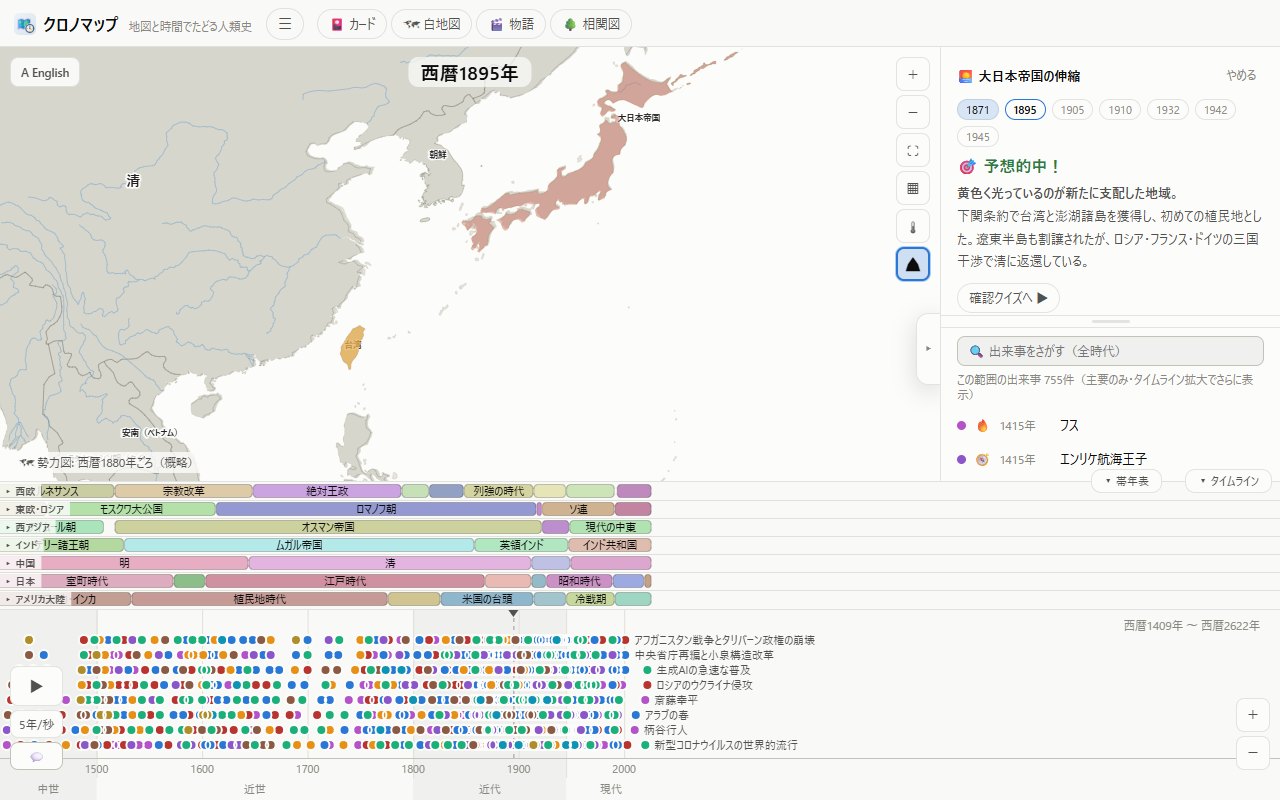
13🌳 Connections
A mode that lays out the links between people and events as a tree diagram. Pick a theme (8 in all: science, Western art, revolutions and nation-states, philosophy, Chinese history, Japanese history, the Islamic world, medieval Europe) and a large chart opens with time running along the horizontal axis. Drag to pan, pinch or scroll to zoom. Tap a person for their info card, and "View on map" jumps into the main app. Cards can be picked up and moved freely (their connecting lines follow). If you want to tidy up, reopen the theme from the list and the layout resets.
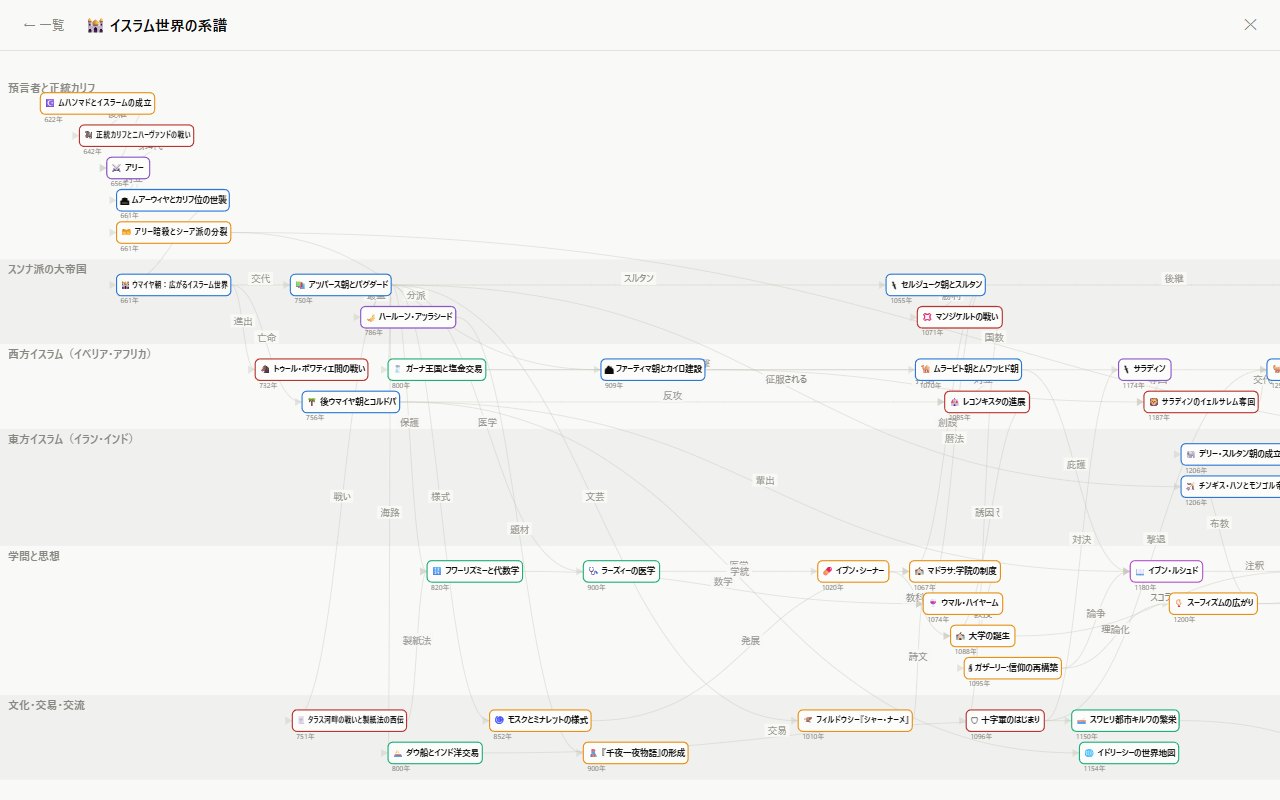
14Switching languages
The "A English" button at the top left of the map switches the entire app to English without leaving the screen you are on (press again — now "あ 日本語" — to switch back). Learn world history while practicing your reading in either language, or use it to introduce Japanese history to friends abroad.
You can switch from any screen, not just the map — the Quizzes & Cards, Stories and Connections headers, a card opened in the Collection, and even a card mid-story all carry the toggle. After switching, you land right back where you were, down to the chapter you were reading or the card you were viewing.
15Using ChronoMap as an app (install, offline, updates)
Add to Home Screen (install)
- iPhone/iPad — we recommend the free ChronoMap app on the App Store. To stay on the web version, open it in Safari, tap the share button (the box with ↑), then "Add to Home Screen"
- Android — Chrome offers "Install app" when you visit, or use ☰ → 📲 Install
- Desktop — the install icon at the right end of the Chrome/Edge address bar
Using it offline
☰ → ⬇ Save offline stores the full data set (about 67 MB) on your device, so every era and every article works on the subway, on a plane, anywhere without signal. Portraits and artwork (from Wikipedia) are not part of the bulk download, but anything you have viewed once stays available.
Moving your data (export & import)
☰ → 💾 Export data saves your collected cards, review progress and settings into a single file. On another device, ☰ → 📥 Import data and choose that file to pick up where you left off. Handy for a new phone or for hopping between computer and phone. Importing replaces the data currently on the device with the file's contents (you are asked to confirm first).
Home screen widget (app version)
In the app version (iPhone; an Android app is in preparation) you can place a "Daily review" widget on your home screen. It shows how many cards are due, your 🔥 streak, and today's featured card at a glance, and tapping it opens the app. Long-press your home screen → "Widgets" (on iPhone, the + or Edit at the top left) → add it from ChronoMap.
Updates
When new features ship, a notice appears at the bottom of the screen: "A new version is available → Update". One tap brings you up to date.
16Feedback & contact
☰ → 💬 Feedback lets you send feature requests and error reports (name and email are optional). Reports of factual errors are especially appreciated.
17Safety & privacy
ChronoMap runs with no ads, no cookies, and no accounts. Your collected cards and quiz records are stored only on your own device and are never sent to a server. The only external requests it makes are to Wikipedia, for portraits and artwork. The only outbound links are Wikipedia source pages and, from a World Heritage card, the official UNESCO World Heritage Centre page (whc.unesco.org).
On the site side, a Content Security Policy (CSP) restricts executable code to this site's own scripts, without loose allowances such as unsafe-inline. See the privacy policy page for details.
18Notes on the data
- Article text for events and people was written with the help of AI (large language models) and edited to match textbook-level terminology. If you spot an error, we would appreciate a note via ☰ → 💬 Feedback
- Borders and dates on the political map are simplified outlines for learning. Disputed regions and poorly documented periods are especially simplified
- Map: Natural Earth (public domain) / historical borders: historical-basemaps (GPL-3.0), simplified / portraits and artwork: Wikipedia / flags: flag-icons (MIT). Images that require attribution (CC BY-SA etc.) show the author and license under the image, linked to the file page
- Please do not reproduce, republish or scrape the app's text